Input & Configuration
- JPG, PNG and HEIC upload
- Source image validation
- Cosmetic or full transformation
- Visual style selection
AI · Computer Vision · Product Experience
A web experience that turns a photo of an existing kitchen into a starting point for a new design: users upload an image, choose the transformation mode and style, then compare the original space with an AI-generated visualization.
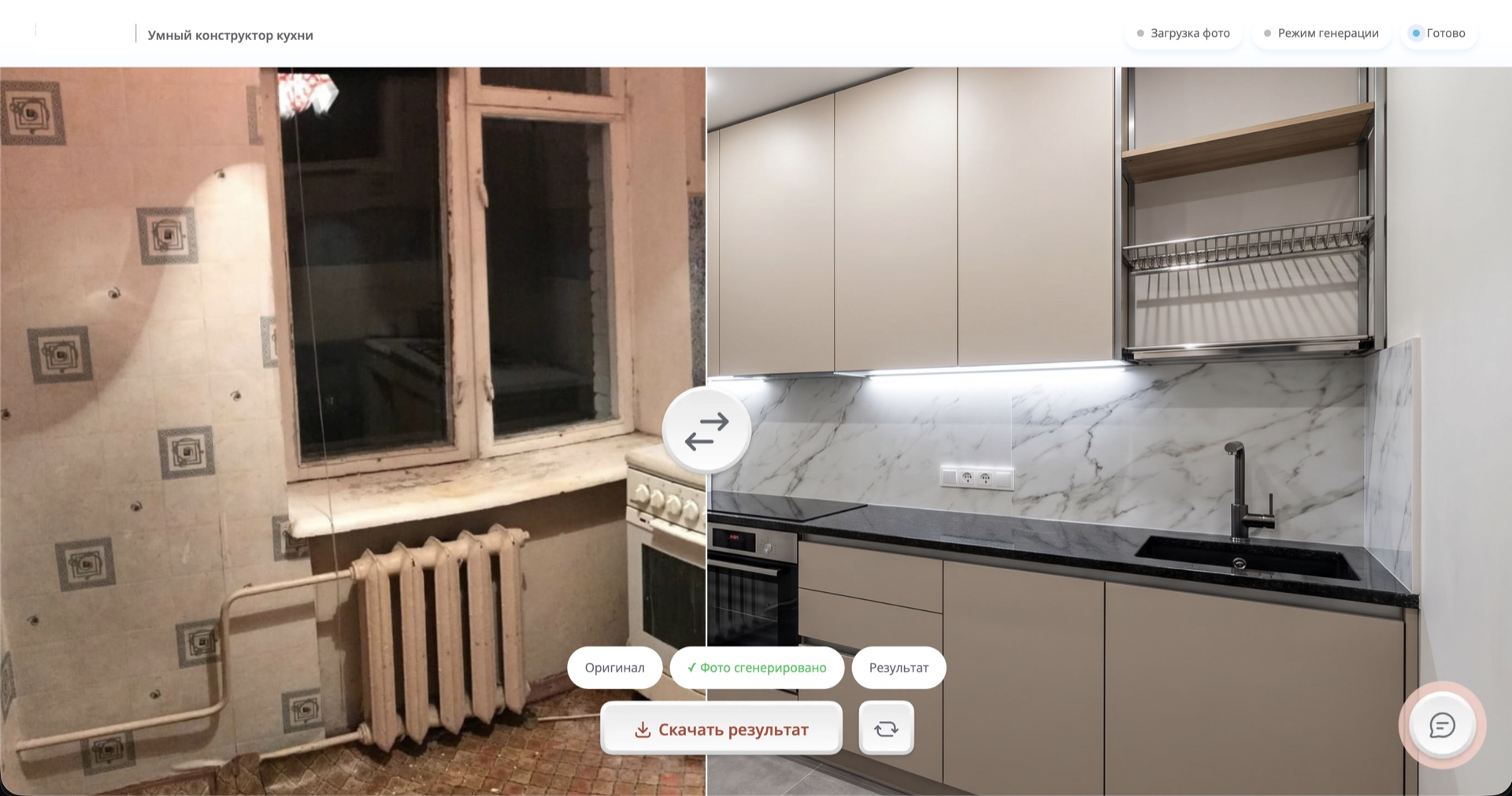
AI Interior Configurator helps users explore a potential kitchen renovation before any work begins. The service accepts a photo of a real space, offers a choice of transformation depth and visual style, and presents the generated result next to the original image.
The main challenge was turning a complex AI process into a clear product journey. The interface needed to explain the difference between a cosmetic update and a full transformation, guide users through style selection and make the generated result easy to compare with the original room.
I led the technical implementation and coordinated the complete user journey, from photo upload and preparation through mode selection, generation and result presentation. Particular attention went to the boundaries between the interface, the AI pipeline and the product catalogue.
The journey is designed as a sequential pipeline: the web interface accepts and validates the photo, passes the selected mode and style to the generation layer, then receives the finished asset for comparison and download. Materials and styles are connected to the client's product range.
The complex generation process is reduced to three clear stages: upload a photo, choose the depth of change and visual style, then compare the original with the finished visualization.
The first step explains the process and separates cosmetic updates from full transformations.
Users choose the future kitchen style before starting generation.
The final screen provides a clear side-by-side comparison with the original space.
The input combines the user's kitchen photo, the selected transformation mode and the preferred visual style. The generated result is shaped by the available materials, textures and product options from the client's catalogue.
The result is a cohesive product experience that turns AI generation from an abstract technology into a practical selection tool. Users see their own space, control the depth of the proposed changes and receive a clear visualization of a future kitchen.